Showing articles in category: "Windows Virtual Desktop"

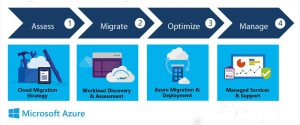
RDS and VDI migration to Windows Virtual Desktop: Why Consider?

We will try to explore here, when is it the time to think of moving to Azure Windows Virtual Desktop (WVD) which comes as hosted desktop as a service (DaaS) and its advantages; in case you are using Remote Desktop or Virtual Desktop service. We will also understand how Azure Migrate service with all its […]
Read More

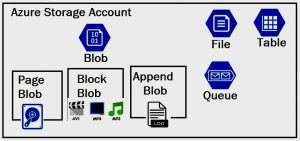
Azure Storage types for Windows Virtual Desktop (WVD)

Azure Storage offers cloud storage solution by Microsoft and is available for Windows Virtual Desktop (hosted desktop as a service) solution. It is scalable, durable, limitless and optimized for storing structured and unstructured (text and multimedia) data; available in the pay-as-you-go model. The useful features make Azure Windows Virtual Desktop (WVD ) storage very suitable […]

Read More

How Microsoft’s Windows Virtual Desktop (WVD) Cloud is Better

With Windows Azure Virtual Desktop (WVD) Microsoft has started recognizing app and desktop virtualization as a viable strategy for end-user computing. At the moment, there are at least twenty other virtual desktop provider businesses in the market. Compared to this, Microsoft is rather a later entrant in the game of cloud virtual desktops and apps. […]

Read More

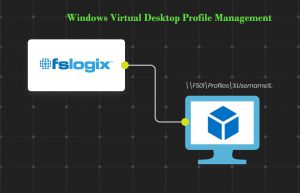
Windows Virtual Desktop Profile Management

Profile Management or managing the what, when, why, who and how of users is not a fun-game. It had always remained a serious issue, especially in virtualization or hosted desktop as a service landscape. Despite the available tools including Microsoft’s roaming profiles, user profile disks, folder redirection and many third-party tools, none was without compromise. […]

Read More

Windows Virtual Desktop Cloud Advantages

Enterprises worldwide are seeking a more agile, easy, and secure way of doing business. Windows Virtual Desktop (WVD) offers maximum fluidity with device and location independence. It can be accessed using Remote Desktop (RD) clients on different devices. Let us explore how Windows Virtual Desktop cloud smartly helps businesses meet their expectations. Why Should Businesses […]

Read More

Windows Virtual Desktop: The Prerequisites

In the present days of advanced digital transformation, we have started moving desktops to cloud in addition to migrating data and applications to the cloud. Not only it relieves you from rigid hardware dependency, reduced product lifecycles; you benefit from the security, scalability and easy deployment of Azure cloud desktop platform, Windows Virtual Desktop (WVD). […]

Read More

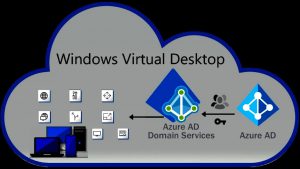
Azure Windows Virtual Desktop from Admin & End-User Perspective

The purpose of this discussion is to give you an overview of Azure Windows Virtual Desktop (WVD), its overall architecture, setup processes and above all, a general idea of what the platform looks like from the viewpoint of users and mainly administrators. Without getting into the details of uses, cost factors, other features (or comparisons) […]

Read More
WVD vs RDS

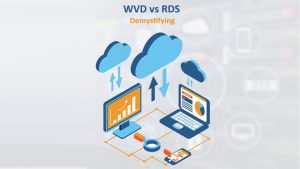
Windows Virtual Desktop vs RDS – 6 Attributes to Consider

With the roll-out of Windows Virtual Desktop (WVD) which is a hosted desktop as a service, the common question that keeps coming is the difference between Azure Remote Desktop Session Hosts (RDS) vs WVD and which one to choose. Here we will take you through the broad technicalities, how WVD relates to RDS, the benefits, […]

Read More
WVD Azure management tools

Tools for Windows Virtual Desktop Management

Managing a virtual desktop deployment is not always easy; the same could be the Windows 10 Virtual Desktop management. Setting up a Windows Virtual Desktop (WVD) tenant could be challenging if you are not comfortable with writing the PowerShell scripts. We will take you through the management tools available for Windows Virtual Desktop (without using […]

Read More
Windows 7 Support End of Life

Windows 7 Support in Windows Virtual Desktop: Things to Know

January 14, 2020, will bid farewell to Windows 7 “free security updates”. With Windows 7 support to end, what it means is, it will be prone to attacks without the latest security solutions guarding the vulnerable elements. However, if you are a Windows 7 user, no need to panic with the end of Windows 7 […]

Read More